Cost wall
Specialist wearables often cost thousands. Guide dogs involve long waits. eyEar targets under $50 so independence is not a privilege.
Wearable assistive AI · prototype in testing
eyEar is a wearable that clips onto your shirt, belt, or cane and describes what's around you—obstacles, signs, food, people—through a small speaker. We're building it to cost under $50.
Product
A clip-on with a camera and proximity sensor, paired with your phone. It picks up obstacles, reads signs, identifies objects, and describes the scene around you—all through a small speaker, hands-free.
What makes it different is eyEar Cortex—the layer that shapes how the device responds based on what you're actually doing, not just what it sees.

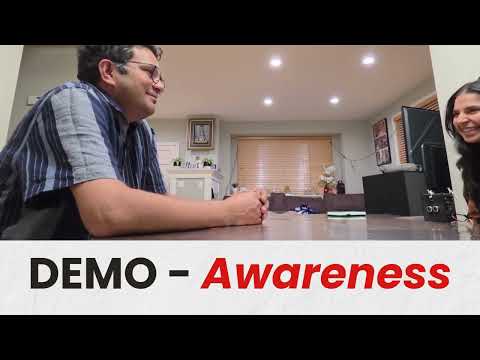
See it run
Four demos in one video—real hardware, real flows. Opens on YouTube.
Why we exist
Over a billion people live with meaningful vision loss. For a lot of them, the problem isn’t that tools don’t exist—it’s that they’re too expensive, don’t fit how people actually move through the world, or just aren’t helpful enough.
Specialist wearables often cost thousands. Guide dogs involve long waits. eyEar targets under $50 so independence is not a privilege.
Phone apps tie up your hands. One-size eyewear ignores cane-first users, guide-dog partners, and people who simply will not wear glasses for assistive tech.
“Chair, table, person” is not enough. People need steps, clock positions, social context— the kind of answer a thoughtful human would give, at the speed of software.
44% vs 79%
Employment: blind or visually impaired vs. without disabilities (U.S.)
AFB statistics$2k–$4.5k+
Typical vision-aid price bands vs. eyEar’s sub-$50 goal
Cortex
Scenario-tuned responses—built to say what to do, not only what is there.
Our journey
Nine months of work, starting with conversations and ending with a device that runs.
Deep conversations on daily friction—navigation, meals, shopping, social cues—before writing a line of product code.
Ongoing blind co-designers set priorities: what is actionable vs. noise, and how audio vs. haptics should balance.
First wearable loop: sensors, vision API, and early eyEar Cortex prompts shaped by real scenarios.
We are here: obstacle detection and scene description are working. Haptic feedback is in. Cortex scenarios are being expanded. The device needs more testing before it's ready to hand to users.
Structured pilots with schools, community orgs, or clinics—measuring independence gains and refining onboarding.
Design for production, supply chain, labeling, and the right regulatory posture for the markets we enter.
Expand the scenario library to hundreds of modes—every new feature ships through the same Cortex pattern you see below.
What we have built
Today’s stack: compact ESP32-S3, camera, ultrasonic sensor, discreet clip-on (belt, shirt, cane, or neck) with a phone for hands-free cloud vision when you want it.
Roadmap sections describe direction; not every layer is in every build yet.
The USP
Off-the-shelf vision models describe pictures. eyEar Cortex is the product: a growing library of situations, prompts, and response shapes co-designed with blind partners so the device speaks like a skilled orientation partner—steps ahead, clock positions, social awareness—not a firehose of object labels.
Every future feature (there will be hundreds) lands as a Cortex scenario: a defined context, safety rules, output format, and test cases. Tap any row below to see how we document what “good” sounds like. This pattern scales as we add modes.
Goal: Find sittable space and approach path.
Example output: “Empty seat two steps ahead, slightly to your right; aisle clear.”
Goal: Align to crossing box and confirm signal phase when visible.
Example output: “Curb straight ahead; crosswalk stripes underfoot; pedestrian signal on your left shows walk.”
Goal: Center in hall, announce doors and turns.
Example output: “Hall continues 8 meters; open doorway 2 o’clock—likely restroom sign.”
Goal: Read floor indicator and describe control layout.
Example output: “Panel on right; ‘3’ illuminated; braille strip along bottom edge.”
Goal: Map food for utensil approach.
Example output: “Avocado at 3, sandwich at 6, jam at 9.”
Goal: Describe stations and shortest queue hint.
Example output: “Three stations: salad left, hot entree center, cashier right; middle line shortest.”
Goal: Surface obvious on/off cues—always paired with ultrasonic safety elsewhere.
Example output: “Front-left burner glow red; kettle on rear right.”
Goal: Orientation to faces, proximity, whether attention shifted.
Example output: “Three people in arc ahead; two turned toward the door—conversation may have moved.”
Goal: Distinguish shirts by color/pattern and position.
Example output: “Blue shirt, second from the left on the rack.”
Goal: Directional cue + distance when partner provided reference.
Example output: “Possible match 11 o’clock, ~4 meters, navy jacket.”
Goal: Page boundaries, read order, bookmarking (roadmap).
Example output: “New paragraph starting; header ‘Chapter 4’ at top of page.”
Goal: Semantic search over captured text—“what date is mentioned?”
Example output: “Date line: March 15 near signature.”
Goal: Bullet structure for classroom or meeting access.
Example output: “Three bullets: Budget, Timeline, Risks—timeline bullet has a sub-list.”
Goal: Complement cane sweep with branch, sign, or cabinet context.
Example output: “Low branch ahead at forehead height; step left to clear.”
Goal: Clear edge and direction of travel cues.
Example output: “Escalator mouth 2 steps ahead; handrail on your right.”
Goal: Narrate tape, cones, and alternate path hints.
Example output: “Yellow tape crosses sidewalk; gap at 10 o’clock.”
New scenarios ship continuously—same Cortex pipeline: capture → scenario detect → guided prompt → spoken (or haptic) response. Partner testing decides what graduates to default modes vs. optional packs.
Architecture
Camera + ultrasonic in parallel. Description runs through Cortex and a vision model; obstacle alerts stay on deterministic sensors.
Collision safety uses fixed distance rules, not vision inference—by design.
Seeed XIAO ESP32-S3 · Gemini 2.0 Flash · Python · working prototype
Platform roadmap
A modular core for eyewear, cane, neck, or belt—plus purpose-built experiences and a layered safety story when connectivity drops.
One heart, many wear styles—cane users, guide dog partners, eyewear-averse users included.
Scene, plate, books, documents, expression, wayfinding, hazards—each a Cortex-heavy mode.
Physics-first sensors, optional on-device fallback, rich cloud when connected.
Schools, NGOs, rehab—alongside consumers—for reach at scale.
Who we serve
Students, working-age adults, and older adults with progressive loss. Under $50 remains the north star.
Ethics & safety
About
Inventor & Lead Engineer
School: Tesla STEM High School
Location: Redmond, WA
Grade: 11th
Research & Human-centered Design
School: North Creek High School
Grade: 10th
Collaborate
We're two high school students building something we think matters. We're at the stage where feedback and connections to the right people would make a real difference.
We're especially interested in:
If that sounds like you or your organization, reach out and let us know how you'd like to help—we read every message.